
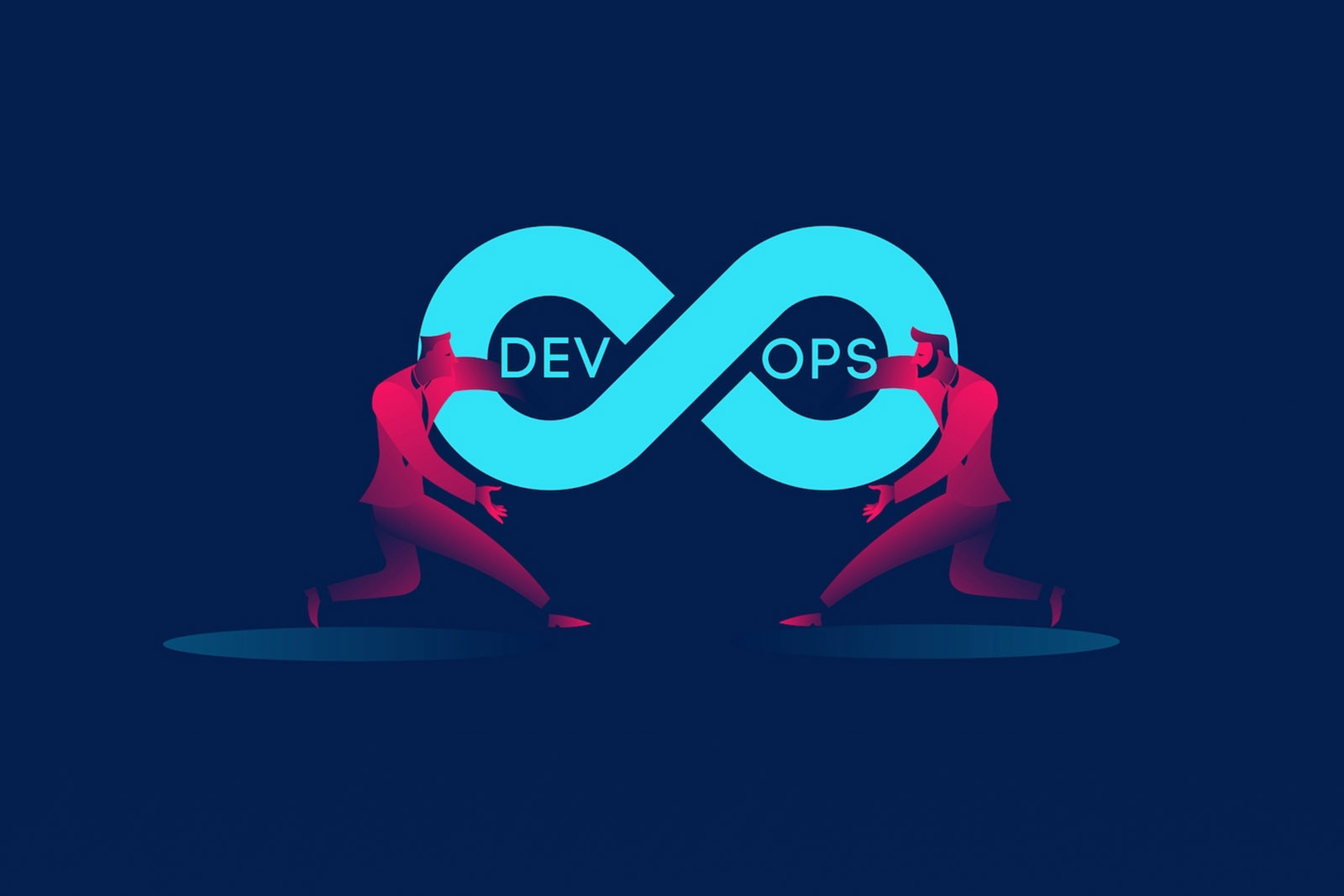
The DevOps revolution has finally become mainstream and the popularity of DevOps tools has exploded. According to Google Trends, there’s been a steady increase in searches for “DevOps tools” and that trend continues.
Since DevOps encompasses the entire Software Development Lifecycle, there are many tools to pick from — as we all know, no tool fits all. There are, however, several that have matured their capabilities and provide a broad range of support for nearly any scenario.
Let’s break down the best-of-breed tools into the following categories:
- Development and Build Tooling
- Automated Testing Tools
- Deployment Tooling
- Runtime DevOps Tooling
- Collaboration DevOps Tooling
Successful and mature adoption of the DevOps practices will always have a complete pipeline with tools that fit into those five categories. Be sure to evaluate your current tool stack to ensure you’re not missing a key piece of your CI/CD pipeline.
Development and Build Tooling
This is the bread and butter of your CI/CD pipeline stack. Everything starts here. The best tools in this category can orchestrate multiple event streams and integrate easily with external tooling.
Tools in this slice of the software development lifecycle fit into three sub-categories:
- Source-Control Management (SCM)
- Continuous Integration (CI)
- Data management
The recommended SCM technology for 2022 is GIT, so our SCM tool must have excellent GIT support. For CI, the ability to run and execute builds in an ephemeral containerized environment is an absolute must. As for data management, we need to be able to make changes to our database schema and keep it aligned with the application version.
#1 SCM + CI Tool of 2022: Gitlab and Gitlab-CI
Gitlab is without a doubt the greatest DevOps Lifecycle tool of 2022 and it will be the innovative leader for the foreseeable future.
Gitlab’s core functionality provides a flawless GIT repository management tool. Its web-based user interface is the most verbose and easy to use. Gitlab provides everything you need with its free tier offering and comes in both SaaS and On-Prem form factors.
There are plenty of SCM tools on the market, but none have ever taken Continuous Integration directly into your repository the way Gitlab has been doing for years. Called Gitlab-CI, you stick a .gitlab-ci.yml file in the root directory of your codebase and any GIT events will trigger actions based upon what you’ve defined here. They are truly the leader in continuous integration-as-code.
Key benefits
- Maturity —The product has been on the market since 2013 and is extremely stable and well supported.
- Open-source — The free edition of Gitlab does not cut out the core functionality that dev teams need. Each paid tier provides additional features that bring extreme value depending upon the size and needs of your organization.
- Engrained CI — No other tool on the market has embedded continuous integration directly to your SCM the way Gitlab-CI has. The ability to use Docker builds for ephemeral builds provides worry-free build jobs and built-in reporting makes it easy to debug build failures. There’s no complex integration and orchestration of multiple tools needed.
- Unlimited integrations — Gitlab provides easy integration of tools needed in each of the core DevOps categories. This allows developers and operations to have a single source of truth for information relating to their application, in any and all environments.
Beating the competition
There are other tools that are also popular in this space, however, they aren’t as good as Gitlab. Here’s why:
- GitHub — GitHub has simply been a great SaaS source control management system for small and early-stage development shops. However, for large enterprises that need to keep their IP within their network, GitHub’s only option was a .OVA virtual machine with no support for high-availability. This made it difficult to maintain on-prem and it could only run for medium-sized organizations before the server itself would start falling over. Its lack of GitHub Actions (until recently, and still not in the on-prem version) or CI-as-Code has meant you always needed to bring your own CI tool and manage that integration. Finally, it’s far more expensive than any Gitlab pricing.
- Jenkins — While Jenkins has emerged as the default standard for continuous integration tooling, it has always lacked the source control element. Meaning, you will always be using Jenkins and an SCM tool. This simply is unnecessarily complex when a tool like GitLab provides both. Its horrible UX leaves much to be desired for a modern web application.
- BitBucket/Bamboo — I have to say, this is an automatic loser considering you need two tools to fill the job that Gitlab does in one. While BitBucket cloud has supported Gitlab-CI/GitHub Action functionality, no organization larger than a startup could easily adopt it. BitBucket server for on-prem doesn’t even support BitBucket Pipelines!
#1 Data management tool of 2022: FlywayDB
The most overlooked aspect of web application development is the automation needs of the database. It’s often an after-thought of deploying database schema changes for new versions of an application. Schema changes are often adding or renaming columns or tables. If the application version does not match the schema version, the application can break completely. It can also be difficult to orchestrate a database change with an application upgrade as there are two different systems. FlyWayDB solves all these problems.
Key benefits
- Database versioning — FlyWay allows you to simply create database versions, track database migrations, and easily roll forward or back schema changes without some custom-built solution for doing so.
- Binary or built-in—You have the option to run Flyway as part of your application startup or as a binary executable. Use this tool in your code so that it checks version capability at startup and runs the appropriate migrations, keeping the database and application versions in sync. You can also run the cmd line ad-hoc, giving you flexibility for existing databases without rebuilding an entire application.
Beating the competition
There aren’t many tools in this space. However, let’s look at a couple:
- LiquiBase — Liquibase is similar and in fact, I would be happy to standardize this tool over FlyWay if someone with more experience in this tool worked in my organization.
- Flocker — This might work for containerized applications only — running databases in containers is extremely difficult and must be well planned to execute successfully. I recommend leveraging a service, such as RDS, for databases rather than trying to run your critical data stored in a container.
Automated Testing Tools
We must start an evaluation of automated testing tools by first fitting them into the testing pyramid. The testing pyramid has 4 layers:
- Unit — This is your base of all automated testing. As far as volume is concerned, you should have the most unit tests compared to other types. These tests should be written and run by software developers to ensure that a section of an application (known as the “unit”) meets its design and behaves as intended.
- Component — The main objective of component testing is to verify the input/output behavior of the test object. This ensures that the test object’s functionality is working correctly, as per the desired specification.
- Integration — This is the phase in testing in which individual software modules are combined and tested as a group.
- End-to-End — This layer is self-explanatory. We’re looking at the flow of an application, right from the start to the finish, and making that it’s behaving as expected.
As unit and component layer testing is driven only by the application developer and is often programming language-specific, we won’t evaluate those tools for the DevOps space.
#1 Integration testing tool of 2022: Cucumber
Cucumber merges specification and test documentation into one cohesive, living document. Since they’re automatically tested by Cucumber, your specifications are always up to date. If you want to build a start to finish the web automation testing framework and simulate user behavior on a web application, then Selenium WebDriver with Java and Cucumber BDD is a good way to go for learning and implementing Cucumber in your project.
Key benefits
- Behavior-driven development — Cucumber is for BDD testing, which has emerged as a go-to testing framework (compared to traditional test-driven development).
- Living Documentation —Document what you’ve done is always a pain. Because your tests are defined as code, Cucumber tests auto-generate documentation to match ensuring they’re always in sync.
- Support —There are many tools to choose from here but when things get serious, you need serious support from the tool maintainer. Cucumber has funding and the support structure in place to maintain the tool for years to come.
Beating the competition
There are many frameworks and technology-specific tools in this space, but only Cucumber comes close to being a one-size-fits-all solution.
End-to-End Testing Tools
There are two key areas to focus on when doing end-to-end testing:
- Functional testing
- Load testing
Functional testing is obviously testing that what we want to happen actually happens. When I click through certain pages on my SPA, fill out forms, and hit submit, the data appears in the database and the screen says success!
We also need to be able to test that x-amount of users working through that same scenario can be processed without error.
If you don’t have testing in both of these areas, you’ll have a significant gap in your CI/CD pipeline.
#1 End-To-End Testing Tool of 2022 — Functional: SoapUI Pro
SoapUI has been in the API testing space for a long time — since SOAP web services were the default. While we don’t build new SOAP services any longer and the name of the tool hasn’t changed, it doesn’t mean it hasn’t evolved. SoapUI provides an excellent structure for building automated functional tests of our backend web services. These can be easily integrated with continuous integration tools and ran as part of our CI/CD pipeline.
Key benefits
- Extensive documentation — This tool has been around for a while so there are plenty of online resources to help you work out how to configure load tests.
- Ease of use— While there are several API testing tools available, having one interface for multiple services makes building tests simple.
Beating the competition
- Selenium — Selenium is another great tool in this space. I recommend it if you’re building and running a Java-based application. However, if you’re doing a full web application with multiple technologies, it might get a little clunky for the non-Java bits.
#1 End-To-End Testing Tool of 2022 — Load Testing: LoadRunner
Explanation: When it comes to load-testing every aspect of your application, only LoadRunner can get it done. Yes, it’s pricy and a bit difficult to get started, but it’s the only tool that performs tests that give me, as a technical architect, confidence that new code will perform under extreme stress. In addition, I think it’s high time that load runner skills move out of SQA resources and into development teams.
Key benefits
- Extensive Documentation. This tool has been around for a while so there are plenty of online resources to help you work out how to configure load tests.
- Protocol Support — From ODBC to AJAX, to HTTPS and every other obscure protocol your application might be using somewhere, load runner supports it. We want to avoid stringing multiple load testing tools — it just adds to the complexity.
Beating the competition
Again, in this space there aren’t many one-size-fits-all tools, so the easy solution is the one that can be dropped in any environment with any technology.
Deployment Tooling
Deployment tooling is probably the least understood aspect of application development. For operations folks, it’s hard to use a deployment tool without a deep understanding of the application code and functionality. For developers, managing code deployments is a new responsibility so they have little experience with many deployment tools.
First, let’s break down deployment tooling into three sub-categories:
- Artifact management
- Config management
- Deployment
#1 Artifact Management Tool of 2022: Nexus
The Nexus artifact repository supports nearly every major technology, from Java to NPM to Docker. We can use this one tool to store all of our deployable artifacts. The ability to proxy remote package managers also greatly increases the speed of our CI builds by bringing the packages closer to the build process. Another benefit of this is that we can get a global view of all packages used across multiple software projects, locking out insecure open-source packages that could be an attack vector in our code.
Key benefits
- Technology support — the product has been on the market since 2013 and is extremely stable and well supported.
- Open-Source — The free edition of Gitlab does not cut out core functionality that dev teams need. Each paid tier provides additional features that bring extreme value, depending upon the size and needs of your organization.
#1 Config management tool of 2022: Ansible
Ansible is the leader in this space for one simple reason: stateless. Earlier config management tools on the scene focused on managing the state of our configuration. If it got out of lockstep with the desired config it would remedy itself. In new applications, we only have stateless components. New versions of code are new artifacts and deployed to replace something existing. We have ephemeral environments that are short-lived.
Key benefits
- Stateless — Ansible playbooks are run from an operator machine and hit a target of servers. I don’t care about the state of the remote object, which makes it much easier to use with a tool like Packer for building deployable objects.
- Open-Source — Like CentOS, Ansible is also maintained by RedHat. This enterprise and its senior level of support help maintain the community and ensure high-quality, easy-to-use modules.
- Molecule testing— Because configuration management is code just like anything else, we can’t get away without testing it. The molecule framework for testing Ansible roles works seamlessly to ensure our configuration-as-code is just as high-quality and follows the same CI/CD pipeline as the application code.
- YAML — Compared to other tools, YAML is just easier to wrap your head around. As configuration management is typically new to anyone adopting DevOps, this makes it a key selling point.
Beating the competition
- OpsCode Chef — I started my DevOps career as a chef cookbook developer. Ruby and Chef are very near and dear to my heart. However, they simply don’t solve the problems for today’s stateless, cloud-native applications. It’s a great tool for more traditional legacy applications, but we’re focused on the future in this article.
- Puppet — Puppet has never grown a huge community, especially compared to Chef and Ansible. It’s great for provisioning and bare-metal but it lacks support for web application-type configuration management.
#1 Deployment tool of 2022: Terraform
Terraform solves the problem of defining your infrastructure-as-code, from the network components to the actual server images. It’s has come a long way since the initial release and has built a huge community of plugins and support to help out in pretty much any deployment scenario you may face. The ability to support any type of environment, on-prem, in the cloud, or something else, is second to none. Finally, the latest release provides much of the same logic functions and classes into HCL as any other traditional programming language, making it easy for developers to pick up and learn.
Key benefits
- Cloud/environment agnostic — Terraform makes use of provides that act as the interface between your Terraform code and all the API and back end logic needed to talk to your infrastructure provider. This means I can learn one tool and have the ability to work anywhere.
- Open-source — Again, it’s hard to knock free tools. Community support is top-notch.
Beating the competition
- AWS CloudFormation— Even if you only work in an AWS cloud environment, you may move on in your career to a place that doesn’t. Shoehorning your skills and knowledge into one platform can be risky. In addition, many new AWS services are often available as Terraform modules before they’re available in CloudFormation.
Runtime DevOps Tooling
The end-goal of any development project is running our application in production. In a DevOps world, we want to ensure we have visibility into any potential issues with our environment and we also want to keep human manual intervention to a minimum. Choosing the correct set of runtime tools is critical to reaching development nirvana.
Runtime tooling sub-categories are:
- X-as-a-Service
- Orchestration
- Monitoring
- Logging
#1 X-as-a-Service Tool of 2022: Amazon Web Services
Amazon has always been a leader in the cloud. They don’t just stop there either — they have so many new services for developers to leverage it can make your head spin. Bring any technology and any pattern to AWS and it can be built and run. Their costs are extremely reasonable compared to building, managing, and maintaining traditional hardware in your own datacenter. The free tier of services gives anyone the chance to experiment with something before having to make a buy decision, which is great for trying to build an application the correct way vs. having to compromise due to costs.
Key benefits
- Industry-standard — If you have experience building applications in AWS you can essentially get a job anywhere. Enterprises loves AWS while startups love the low cost of AWS.
- Free-Tier — This is really the business aspect AWS has got so right compared to everything else. Let me use the service and see how it works before deciding I want to sink thousands of dollars into something that could have huge pitfalls. I’ve never crossed a free-tier limit for anything I’ve built simply to POC.
Beating the competition
- Azure — Azure has come a long way since it’s the initial release and that’s commendable. However, the need to differentiate itself has lead it to name services weirdly that are a little harder to pick up on — what is “blob storage” anyway? And while .NET code works better in the Microsoft ecosystem, it’s unlikely that you’ll only use .NET for every aspect of your application.
- Heroku — Simply put, I would never run anything other than a personal project on Heroku. There isn’t much transparency and the enterprise has no reason to adopt it as a platform. It’s great for demoing something in a blog, but for practical applications — no thanks!
#1 Orchestration tool of 2022: OpenShift
You’re probably using Docker or containers somewhere in your application stack. Serverless applications are great but they can’t fit every architecture pattern. Running containers without an orchestration platform simply doesn’t work. Core Kubernetes leads a lot to be desired from a security and tooling perspective. OpenShift is the only Kubernetes platform that has it all from Source2Image builds, deployment automation into pods, and even traceability and monitoring. It can run on-prem, in the cloud, or both.
Key benefits
- Security built-in — Managing K8 security can almost require a Ph.D. It must be thought out carefully and every detail accounted for. Security mechanisms put in place by default with OpenShift take a lot of extra non-functional work off developers’ plates and provide a more secure platform for their applications.
- All-in-one solution — Unlike vanilla K8, which doesn’t include load balancing tooling by default, OpenShift has everything. I can use it for hosting my containers, building containers, running CI/CD tooling, orchestrating external processes, managing secrets, and much more. While the GUI still needs a little more work, the API-first approach means everything can be scripted, and, unlike other GUIs for K8, it makes it far simpler to learn the fundamentals of Kubernetes without first having to get that degree!
Beating the competition
- Docker Swarm — Docker swarm tried to make K8 simpler by taking a lot of stuff out. This is great for smaller applications but for enterprise applications it simply doesn’t work. In addition, services like AWS ECS take a similar approach but make it easier to play with other services that I might also be interacting with (Lambda, IAM, etc)
#1 Monitoring Tool of 2022: New Relic
New Relic’s early releases did one thing really well — APM monitoring. Now it’s a full-suite monitoring tool, allowing me to monitor server performance, container performance, database performance, end-user-experience monitoring, and, of course, APM monitoring.
Key benefits
- Ease of Use — I’ve used a lot of monitoring tools in my time as a system engineer but I’ve never come across one as easy to use as New Relic. It’s an SaaS, so not having to set up a server component is nice.
- End-to-end visibility — Other tools try to monitor one specific aspect of your application. Whether it’s CPU utilization or network traffic, all of those layers work together to make your app work. New Relic gives you the ability to combine all the data to get a true sense of what’s going on.
Beating the competition
- Zabbix— Zabbix was my first favorite monitoring system, but its lack of evolution into the cloud-native and APM space has left it behind. It still does traditional server infrastructure monitoring very well, but that’s about it.
- DataDog — This tool focuses too much on the process perspective of managing production applications and not enough on the code itself. With true DevOps teams having developers involved in the production, we don’t need to rely on process-heavy tooling to provide world-class support.
#1 Logging Tool of 2022: Splunk
It’s hard to argue against Splunk. They’ve been a leader in log aggregation for a long time and they continue to do it best. With both on-prem and SaaS offerings, you can use it anywhere. The major downside is that it’s still expensive as hell to run!
Key benefits
- Industry Standard — The enterprise loves Splunk, they also have the money to pay for it too. While startups might struggle to justify the cost, many of the concepts and skills can be transferred to open-source alternatives.
- Supportability— Simply put, it works and works well. It comes with lots of defaults and ready-to-use features so you don’t have to spend a lot of time reading documentation and trying to get something to work that isn’t directl yspelled out.
Beating the competition
- ELK Stack — ElasticSearch, LogStash, and Kibana, while always seeming to be the cool kids on the block because they don’t charge you a liver to use, it does become more difficult to maintain as log sets grow and more and more applications onboard to your tooling. I’ve spent more time getting the tooling set up before building any kind of dashboards than I’ve ever had to deal with using Splunk.
Collaboration DevOps Tooling
DevOps first and foremost is about culture change within an organization. While buying a tool won’t change the culture overnight, it can certainly help foster new means of working with your colleagues.
Collaboration Tooling sub-categories are:
- Issue Tracking
- ChatOps
- Documentation
#1 Issue tracking tool of 2022: Jira
Jira continues to maintain the top spot even though the competition is ramping up in this space. However, the incredible flexibility built-in to Jira allows development teams and operations teams to manage their project work and sprint tasks. The built-in standards using agile terminology helps ease the culture change from traditional work methods to more lean processes.
Key benefits
- Industry Standard —Again, like many tools, Jira is used pretty much everywhere. Small teams can use the cheap license and get everything they need, while enterprises can afford a license for anyone.
- Integrations — Being first in this space and rapid growth means third party tooling choose you to build native integrations with first and they just add to the value of your tool and that’s the case here with Jira. We can integrate with all the other tools listed in this post, out of the box, with little customization.
Beating the competition
- Trello— Trello became popular quickly for being a free-to-use Kanban board tool. However, once things start to scale and you go from tens of issues to thousands, Trello becomes hard to navigate, search, and report on.
- Pivotal Tracker — I became a huge fan of this tool while working for a startup. However, they focus more on product management and less on technical tasks. While product management out of Jira is a little harder, it can still be done without having to get a totally separate tool.
#1 ChatOps Tool of 2022: MatterMost
Explanation: This may be the biggest surprise on this list for 2022 and that’s a good thing! MatterMost has gained popularity by taking the best of previous tools but bringing in on-prem. For enterprises, this is huge as it keeps data under their control but also helps integration with on-prem tooling — we no longer need to go outside the firewall for something new.
Key benefits
- Open Source—The open-source version of MatterMost works perfectly for small or large teams alike. Unlike the free tier of Slack where you lose history, running the server yourself means you have your data.
- Integrations — Because the API is nearly 100% based upon the Slack API, almost all of Slacks integrations can be used directly with MatterMost.
Beating the competition
- Slack — Slack is awesome but they’ve grown so large they need to start making a profit. The pay-up phase of their business is coming and ripping out a lot of the value Slack used to provide for free, most critical is chat history.
- Microsoft Teams — Try integrating a Microsoft product with something not Microsoft-native — good luck. That’s all I have to say on that!
#1 Documentation Tool of 2022: Confluence
Creating and maintaining quality technical documentation is difficult regardless of the tool you use. While there have been many SaaS documentation tools entering the market recently, I would find it hard to accept storing sensitive technical documentation about critical applications to a third party. I need to keep the data and the docs on-prem and that’s what Confluence does for me.
Key benefits
- Easy to manage— Most self-hosted tools can be a little complex to get up and running and maintaining them at scale requires some specific knowledge. Confluence server works great out of the box for 10 users or 10,000.
- Plugins— While creating pretty and easy to navigate documentation with default confluence is already great, the ability to have a plugin for pretty much anything unleashes the Wiki’s potential.
Beating the competition
- Read the docs— Awesome for open-source public code but would never consider storing critical application knowledge here.
- MarkDown — While great for documenting things about my code, hard to put architecture, process, or other types of documentation directly into MarkDown formatting.
- Jekyll — When documenting technical knowledge, I don’t simply want to build a new static site to be deployed with every change. The simple version management system of Confluence makes things much easier for internal documentation.
Wrapping up the Best of 2022
There are literally hundreds of DevOps tools on the market. It can be overwhelming to try to navigate which ones should be used and when they should be implemented. Follow this simple guide to choosing your DevOps tooling stack for a complete CI/CD Pipeline.
Break down the tools into these five key areas:
- Development and building tooling
- Automated Testing tools
- Deployment Tooling
- Runtime Tools
- Collaboration tooling
Remember: Automate all the things!